性能问题
如果您能够连接到多人游戏中,但随着更多玩家加入游戏,性能开始下降,请尝试以下方法来改善您的体验:
- 建议主机电脑的带宽至少为 1.5 Mbps。
- 检查您的网络速度并确保玩家数量不会使您的网络过载。
- 将渲染距离调低至 4 个区块,并在世界设置屏幕的“视频”区域关闭精美图形。
- 测试使用较少玩家进行托管是否能带来更流畅的体验。
连接问题
- 存在一个正在进行的问题,即当主机达到一定数量的连接用户后,用户会开始断开连接和/或无法加入。 这可能会伴随游戏内延迟。
- 关闭游戏并重新启动应用程序。 加入/主持世界应该是您启动和登录后做的第一件事。 玩家玩过自己的世界后,必须重新启动才能加入多人游戏世界。
- 尝试一个新世界,而不是之前保存过的世界。
- 您的网络需要允许与我们的 URL 进行通信。(URL 需要被网络中阻止访问互联网的任何系统列入白名单,例如路由器设置、内容过滤器、防病毒软件或您的防火墙软件)
- 如果您使用的是 iPad:
- 在您的 iOS 设备的主屏幕(iOS 14 或更高版本)上,轻点“设置”。
- 轻点“隐私”。 本地网络。 您会找到一个应用列表。
- 为您想要允许网络访问的应用打开本地网络访问。
- 很多时候,防病毒软件或防火墙会阻止多人游戏连接。
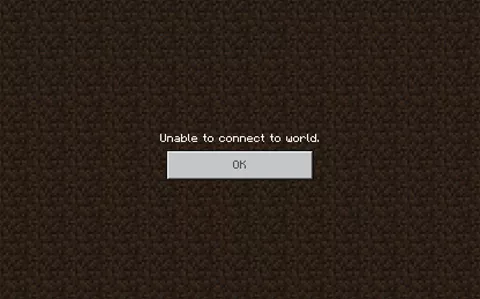
- 如果玩家没有使用相同版本的 Minecraft 教育版,他们会看到错误“无法连接。服务器版本过旧”。
- 如果主机电脑断开连接(即使是暂时性的),世界上的所有玩家都将失去连接。 主机需要重新启动托管会话,所有玩家都需要使用新的加入代码重新连接。
- 尝试使用网线将您的调制解调器直接连接到您的计算机。
- 尝试关闭计算机上的其他应用。
- 尝试移除并重新安装 Minecraft 教育版。
当主机达到一定连接用户数后,用户会开始断开连接和/或无法加入。可能会伴有游戏延迟。
| Description | 在一定数量的用户连接到主机后(此数字将根据主机设备规格而有所不同),世界上的用户将开始遇到延迟、库存访问问题和/或断开连接。此外,新用户可能无法加入主机。这可能伴随着游戏内延迟,例如放置方块/摧毁延迟或打开库存延迟。当主机设备无法处理多人游戏会话中所有连接的用户时,往往会出现此问题。在使用开始遇到断开连接和延迟之前,我们往往会在设备上看到 CPU 或 RAM 达到 100%。一旦您确定了设备及其规格可以处理的玩家数量,请尝试以少一两个玩家的方式托管会话以获得更好的体验。 |
| Status | Currently investigating as high priority |
| Workaround | 托管较少数量的玩家可以从一开始就防止问题的发生。当我们调查托管大量玩家时性能要求增加的原因时,以下几点可能会有所帮助:确保您使用具有最高规格的设备来托管多人游戏会话让主机降低其游戏内视频设置并关闭其他应用程序尝试从无线切换到有线以太网连接为多人游戏会话分成较小的组关闭主机设备上的其他后台应用程序更新主机设备的操作系统和驱动程序重新启动最近未重启的设备。 |
Minecraft 我的世界教育版使用的所有 URL 列表
划重点:如果您使用的梯子工具不支持如下任一链接,就会出现联机等问题,这个时候,推荐您使用我们推荐的梯子工具:
这是 Minecraft Education 使用的所有 URL 列表。
| URL | Service |
| https://*.minecrafteduservices.com | Login/Multiplayer/Coding |
| https://login.microsoftonline.com | Login |
| https://aadcdn.msauth.net/ | Login |
| https://*.minecraft-services.net/ | Multiplayer/Library |
| https://*.xboxlive.com | Library/Demo Lesson |
| https://*.playfabapi.com | Library/Demo Lesson |
| https://education.minecraft.net | Library |
| https://self.events.data.microsoft.com/ | Error Reporting & Logging |
| http://meedownloads.blob.core.windows.net | Updates & Support files |
| https://contentstorage.onenote.office.net | Immersive Reader |
| http://cognitiveservices.azure.com | Immersive Reader |
| https://learningtools.onenote.com | Immersive Reader |
| https://minecraft.makecode.com | MakeCode |
| https://makecode.com | MakeCode |
| https://trg-minecraft.userpxt.io | MakeCode |
| https://pxt.azureedge.net | MakeCode |
| https://api.github.com | MakeCode |
| https://www.tynker.com | Tynker |
Microsoft 365 Common and Office Online
| ID | Category | ER | Addresses | Ports |
|---|---|---|---|---|
| 41 | Default Optional Notes: Microsoft Stream | No | *.microsoftstream.com | TCP: 443 |
| 43 | Default Optional Notes: Microsoft Stream 3rd party integration (including CDNs) | No | nps.onyx.azure.net | TCP: 443 |
| 44 | Default Optional Notes: Microsoft Stream – unauthenticated | No | *.azureedge.net, *.media.azure.net, *.streaming.mediaservices.windows.net | TCP: 443 |
| 45 | Default Optional Notes: Microsoft Stream | No | *.keydelivery.mediaservices.windows.net | TCP: 443 |
| 46 | Allow Required | Yes | *.officeapps.live.com, *.online.office.com, office.live.com13.107.6.171/32, 13.107.18.15/32, 13.107.140.6/32, 52.108.0.0/14, 52.244.37.168/32, 2603:1006:1400::/40, 2603:1016:2400::/40, 2603:1026:2400::/40, 2603:1036:2400::/40, 2603:1046:1400::/40, 2603:1056:1400::/40, 2603:1063:2000::/38, 2620:1ec:c::15/128, 2620:1ec:8fc::6/128, 2620:1ec:a92::171/128, 2a01:111:f100:2000::a83e:3019/128, 2a01:111:f100:2002::8975:2d79/128, 2a01:111:f100:2002::8975:2da8/128, 2a01:111:f100:7000::6fdd:6cd5/128, 2a01:111:f100:a004::bfeb:88cf/128 | TCP: 443, 80 |
| 47 | Default Required | No | *.office.net | TCP: 443, 80 |
| 49 | Default Required | No | *.onenote.com | TCP: 443 |
| 50 | Default Optional Notes: OneNote notebooks (wildcards) | No | *.microsoft.com | TCP: 443 |
| 51 | Default Required | No | *cdn.onenote.net | TCP: 443 |
| 53 | Default Required | No | ajax.aspnetcdn.com, apis.live.net, officeapps.live.com, www.onedrive.com | TCP: 443 |
| 56 | Allow Required | Yes | *.auth.microsoft.com, *.msftidentity.com, *.msidentity.com, account.activedirectory.windowsazure.com, accounts.accesscontrol.windows.net, adminwebservice.microsoftonline.com, api.passwordreset.microsoftonline.com, autologon.microsoftazuread-sso.com, becws.microsoftonline.com, ccs.login.microsoftonline.com, clientconfig.microsoftonline-p.net, companymanager.microsoftonline.com, device.login.microsoftonline.com, graph.microsoft.com, graph.windows.net, login-us.microsoftonline.com, login.microsoft.com, login.microsoftonline-p.com, login.microsoftonline.com, login.windows.net, logincert.microsoftonline.com, loginex.microsoftonline.com, nexus.microsoftonline-p.com, passwordreset.microsoftonline.com, provisioningapi.microsoftonline.com20.20.32.0/19, 20.190.128.0/18, 20.231.128.0/19, 40.126.0.0/18, 2603:1006:2000::/48, 2603:1007:200::/48, 2603:1016:1400::/48, 2603:1017::/48, 2603:1026:3000::/48, 2603:1027:1::/48, 2603:1036:3000::/48, 2603:1037:1::/48, 2603:1046:2000::/48, 2603:1047:1::/48, 2603:1056:2000::/48, 2603:1057:2::/48 | TCP: 443, 80 |
| 59 | Default Required | No | *.hip.live.com, *.microsoftonline-p.com, *.microsoftonline.com, *.msauth.net, *.msauthimages.net, *.msecnd.net, *.msftauth.net, *.msftauthimages.net, *.phonefactor.net, enterpriseregistration.windows.net, policykeyservice.dc.ad.msft.net | TCP: 443, 80 |
| 64 | Allow Required | Yes | *.compliance.microsoft.com, *.protection.office.com, *.security.microsoft.com, compliance.microsoft.com, defender.microsoft.com, protection.office.com, security.microsoft.com13.107.6.192/32, 13.107.9.192/32, 52.108.0.0/14, 2620:1ec:4::192/128, 2620:1ec:a92::192/128 | TCP: 443 |
| 66 | Default Required | No | *.portal.cloudappsecurity.com | TCP: 443 |
| 67 | Default Optional Notes: Security and Compliance Center eDiscovery export | No | *.blob.core.windows.net | TCP: 443 |
| 68 | Default Optional Notes: Portal and shared: 3rd party office integration. (including CDNs) | No | firstpartyapps.oaspapps.com, prod.firstpartyapps.oaspapps.com.akadns.net, telemetryservice.firstpartyapps.oaspapps.com, wus-firstpartyapps.oaspapps.com | TCP: 443 |
| 69 | Default Required | No | *.aria.microsoft.com, *.events.data.microsoft.com | TCP: 443 |
| 70 | Default Required | No | *.o365weve.com, amp.azure.net, appsforoffice.microsoft.com, assets.onestore.ms, auth.gfx.ms, c1.microsoft.com, dgps.support.microsoft.com, docs.microsoft.com, msdn.microsoft.com, platform.linkedin.com, prod.msocdn.com, shellprod.msocdn.com, support.microsoft.com, technet.microsoft.com | TCP: 443 |
| 71 | Default Required | No | *.office365.com | TCP: 443, 80 |
| 73 | Default Required | No | *.aadrm.com, *.azurerms.com, *.informationprotection.azure.com, ecn.dev.virtualearth.net, informationprotection.hosting.portal.azure.net | TCP: 443 |
| 75 | Default Optional Notes: Graph.windows.net, Office 365 Management Pack for Operations Manager, SecureScore, Azure AD Device Registration, Forms, StaffHub, Application Insights, captcha services | No | *.sharepointonline.com, dc.services.visualstudio.com, mem.gfx.ms, staffhub.ms | TCP: 443 |
| 78 | Default Optional Notes: Some Office 365 features require endpoints within these domains (including CDNs). Many specific FQDNs within these wildcards have been published recently as we work to either remove or better explain our guidance relating to these wildcards. | No | *.microsoft.com, *.msocdn.com, *.onmicrosoft.com | TCP: 443, 80 |
| 79 | Default Required | No | o15.officeredir.microsoft.com, officepreviewredir.microsoft.com, officeredir.microsoft.com, r.office.microsoft.com | TCP: 443, 80 |
| 83 | Default Required | No | activation.sls.microsoft.com | TCP: 443 |
| 84 | Default Required | No | crl.microsoft.com | TCP: 443, 80 |
| 86 | Default Required | No | office15client.microsoft.com, officeclient.microsoft.com | TCP: 443 |
| 89 | Default Required | No | go.microsoft.com | TCP: 443, 80 |
| 91 | Default Required | No | ajax.aspnetcdn.com, cdn.odc.officeapps.live.com | TCP: 443, 80 |
| 92 | Default Required | No | officecdn.microsoft.com, officecdn.microsoft.com.edgesuite.net, otelrules.azureedge.net | TCP: 443, 80 |
| 93 | Default Optional Notes: ProPlus: auxiliary URLs | No | *.virtualearth.net, c.bing.net, ocos-office365-s2s.msedge.net, tse1.mm.bing.net, www.bing.com | TCP: 443, 80 |
| 95 | Default Optional Notes: Outlook for Android and iOS | No | *.acompli.net, *.outlookmobile.com | TCP: 443 |
| 96 | Default Optional Notes: Outlook for Android and iOS: Authentication | No | login.windows-ppe.net | TCP: 443 |
| 97 | Default Optional Notes: Outlook for Android and iOS: Consumer Outlook.com and OneDrive integration | No | account.live.com, login.live.com | TCP: 443 |
| 105 | Default Optional Notes: Outlook for Android and iOS: Outlook Privacy | No | www.acompli.com | TCP: 443 |
| 114 | Default Optional Notes: Office Mobile URLs | No | *.appex-rf.msn.com, *.appex.bing.com, c.bing.com, c.live.com, d.docs.live.net, docs.live.net, partnerservices.getmicrosoftkey.com, signup.live.com | TCP: 443, 80 |
| 116 | Default Optional Notes: Office for iPad URLs | No | account.live.com, auth.gfx.ms, login.live.com | TCP: 443, 80 |
| 117 | Default Optional Notes: Yammer | No | *.yammer.com, *.yammerusercontent.com | TCP: 443 |
| 118 | Default Optional Notes: Yammer CDN | No | *.assets-yammer.com | TCP: 443 |
| 121 | Default Optional Notes: Planner: auxiliary URLs | No | www.outlook.com | TCP: 443, 80 |
| 122 | Default Optional Notes: Sway CDNs | No | eus-www.sway-cdn.com, eus-www.sway-extensions.com, wus-www.sway-cdn.com, wus-www.sway-extensions.com | TCP: 443 |
| 124 | Default Optional Notes: Sway | No | sway.com, www.sway.com | TCP: 443 |
| 125 | Default Required | No | *.entrust.net, *.geotrust.com, *.omniroot.com, *.public-trust.com, *.symcb.com, *.symcd.com, *.verisign.com, *.verisign.net, apps.identrust.com, cacerts.digicert.com, cert.int-x3.letsencrypt.org, crl.globalsign.com, crl.globalsign.net, crl.identrust.com, crl3.digicert.com, crl4.digicert.com, isrg.trustid.ocsp.identrust.com, mscrl.microsoft.com, ocsp.digicert.com, ocsp.globalsign.com, ocsp.msocsp.com, ocsp2.globalsign.com, ocspx.digicert.com, secure.globalsign.com, www.digicert.com, www.microsoft.com | TCP: 443, 80 |
| 126 | Default Optional Notes: Connection to the speech service is required for Office Dictation features. If connectivity is not allowed, Dictation will be disabled. | No | officespeech.platform.bing.com | TCP: 443 |
| 147 | Default Required | No | *.office.com, www.microsoft365.com | TCP: 443, 80 |
| 152 | Default Optional Notes: These endpoints enables the Office Scripts functionality in Office clients available through the Automate tab. This feature can also be disabled through the Office 365 Admin portal. | No | *.microsoftusercontent.com | TCP: 443 |
| 153 | Default Required | No | *.azure-apim.net, *.flow.microsoft.com, *.powerapps.com, *.powerautomate.com | TCP: 443 |
| 156 | Default Required | No | *.activity.windows.com, activity.windows.com | TCP: 443 |
| 158 | Default Required | No | *.cortana.ai | TCP: 443 |
| 159 | Default Required | No | admin.microsoft.com | TCP: 443, 80 |
| 160 | Default Required | No | cdn.odc.officeapps.live.com, cdn.uci.officeapps.live.com | TCP: 443, 80 |
| 184 | Default Required | No | *.cloud.microsoft, *.static.microsoft, *.usercontent.microsoft | TCP: 443, 80 |
通配符中的域名的完整列表是什么?
域名列表可能会在未经通知的情况下发生变化,并且有些是 CDN,可能因地区而异,因此,虽然我们会尝试保持此列表的最新和完整,但如果可能,我们建议您使用上面的通配符 (*),而不是管理特定的子域。
| https://*.minecrafteduservices.com | login.minecrafteduservices.comdiscovery.minecrafteduservices.comnotebooks.minecrafteduservices.comdownloads.minecrafteduservices.com |
| https://*.minecraft-services.net/ | client.discovery.minecraft-services.netauthorization.franchise.minecraft-services.netsignal.franchise.minecraft-services.net |
| https://*.xboxlive.com | xforge.xboxlive.comxforgeassets001.xboxlive.comxforgeassets002.xboxlive.com |
| https://*.playfabapi.com | 6955f.playfabapi.com |
我们能否减少允许列表中“游戏”相关域的数量?
Minecraft Education 库使用 Microsoft 拥有的服务 PlayFab 和 XForge 来提供库内容,并使用 RTEP 来收集错误报告和日志。虽然我们建议允许所有 xboxlive.com 子域来帮助防止未来的架构更改(例如额外的身份验证调用或引入新的 CDN),但可以将 xboxlive.com 服务的数量限制为 XForge 当前使用的服务:
- https://xforge.xboxlive.com/
- https://xforgeassets001.xboxlive.com/
- https://xforgeassets002.xboxlive.com/
服务器托管
使用 Minecraft 教育版时,主持人必须正在玩游戏才能让其他人加入。 如果主持玩家离开世界,所有其他玩家将被移除出世界。 这与 Java 和 Bedrock 托管服务器的模式不同,后者可以让您使用自定义服务器创建始终在线的多人游戏世界。
我可以在 Minecraft 教育版中设置专用服务器用于多人游戏吗?
Minecraft 教育版目前并不兼容服务器软件,因此无法设置一个玩家可以随时访问的常驻世界。 这是一项很受欢迎的反馈,我们希望在未来提供解决方案。
我可以使用我的 Minecraft 教育版许可证访问 Minecraft Bedrock 或 Java 服务器吗?
由于这些 Minecraft 版本各自使用不同的许可系统,因此无法使用 Minecraft 教育版许可证登录到其他版本